Download
 Facebook
 Twitter
 Google+
Openhab Alfred Workflow
Workflow to control openhab from Alfred
Download
Configuration
The workflow initializes itself if no Workflow Environment Variables were set inside the workflow settings in Alfred before the first execution. (See Using Variables in Workflows for more details)
The following variables have to be set according to the Openhab installation:
-
OH_HOST= IP Address of Openhab -
OH_PORT= Port on which Openhab is running -
OH_USER= User for Openhab (Empty if no Password) -
OH_PASSWORD= Password for Openhab (Empty if no Password)
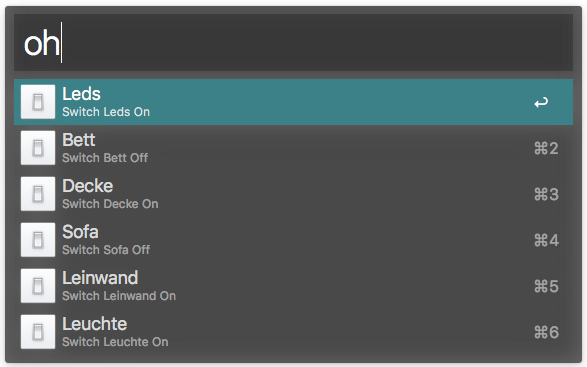
Own Switches can also be added through the
Alfred settings. The Name of
the variable in the Alfred settings will
be the Label which is later
shown in the alfred dialog and the
Value has to match to an
itemname which has to be
present in your Openhab sitemap.
A sample Configuration will be provided when no own items are configured and the workflow is executed.
TODO's
- Parsing of the sitemap for all available switch items
- Support for other Items (e.g. Dimmer, ColorPicker, ...)
Licencing & thanks
This workflow is released under the MIT Licence.
It uses the following libraries and resources:
- Alfred-Workflow (MIT Licence) by deanishe for the workflow stuff.
- Alfred Workflow Builder (MIT Licence) by deanishe. Build Alfred Workflows into .alfredworkflow (zip) files
- Requests (Apache License, Version 2.0) for the REST-API
- Openhab REST-API Examples from Openhab Wiki
- The icon from Openhab (Eclipse Public License - v 1.0)