Download
 Facebook
 Twitter
 Google+
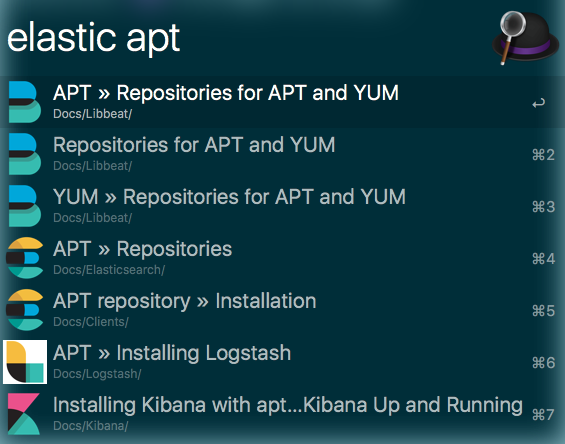
Elasticsearch documentation alfred workflow
An alfred workflow, that queries the Elastic documentation and allows you to open the documentation in a browser directly from Alfred.
Note: You need to have
node.js installed to get up and running.
You can check by executing
node --version, as you need a
node version >= 10.0 (which, frankly,
should be pretty standard nowadays).
Usage
The keyword to trigger the search in
Alfred is elastic by default.
You can search across the whole
documentation, or you can limit by a
product by using something like
elastic b beat. These are the
available product abbreviations:
| Letter | Product |
|---|---|
b |
libbeat |
mb |
Metricbeat |
pb |
Packetbeat |
wb |
Winlogbeat |
fb |
Filebeat |
jb |
Journalbeat |
fb |
Functionbeat |
e |
Elasticsearch |
es |
Elasticsearch |
l |
Logstash |
ls |
Logstash |
k |
Kibana |
c |
Cloud |
ece |
Elastic Cloud Enterprise |
i |
Infrastructure |
cs |
Clients |
sw |
App Search/Site Search |
a |
APM |
apm |
APM |
In addition when specifying a product, you
can also specify a version like
elastic e 6.6 execute watch
For more information, check out the github project